Are you wondering what a content management system (CMS) is and which one to use for your Nigerian website? If so, your search ends here. Abuja Data School is Nigeria’s top live technology training centre. A CMS is one of the most important decisions a Nigerian website owner makes because it determines how easy or difficult it is to manage content, how much your site costs, and how much developer help you need every time you want to make a change. In short, the right CMS makes your Nigerian website an asset. The wrong one makes it a liability.
So, this guide explains what a CMS is in plain English, how it works, the different categories of CMS, and a clear comparison of the most widely used options in Nigeria. In addition, it gives a decision framework to help Nigerian business owners, NGOs, bloggers, and developers choose the right CMS for their specific situation. As a result, by the end of this guide, you will know exactly which CMS is right for your Nigerian website.

What Is a Content Management System (CMS)?
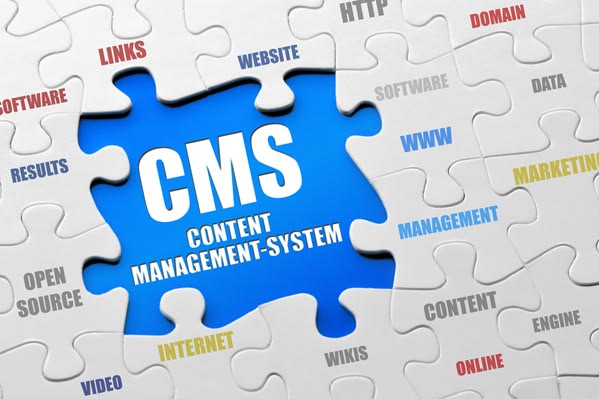
A content management system is a software application that lets you create, edit, organise, and publish digital content, web pages, blog posts, product listings, images, and documents through a visual admin dashboard without writing code. Also, the CMS stores all your content in a database and handles the technical work of displaying it on your website. Furthermore, most CMS platforms use templates (called themes) to control the design, so you can change how your Nigerian website looks without touching code.
In short, a CMS separates the content from the code. Also, a Nigerian business owner can log in to a CMS, write a new blog post, publish it, and have it live on their website in under 5 minutes without calling a developer. Furthermore, this independence is the main reason Nigerian businesses choose a CMS over a custom-coded website.
How a CMS Works: The Basic Architecture
A traditional CMS has three layers:
- Database: Stores all your content blog posts, product descriptions, page text, media files, and user accounts. MySQL is the most common database for Nigerian CMS platforms.
- Backend (admin): The dashboard where Nigerian website managers log in to create and edit content. This is the familiar wp-admin interface that WordPress users interact with.
- Frontend (theme): The visible website that Nigerian visitors see. Furthermore, the theme controls the layout, colours, and typography. The CMS pulls content from the database and displays it through the theme whenever a visitor loads a page. In short, the database holds the words, the theme controls the design, and the CMS engine connects them.
The Four Categories of CMS
1. Traditional (Coupled) CMS
The frontend and backend are tightly linked in one system. Also, WordPress, Joomla, and Drupal are traditional CMS platforms. Furthermore, content created in the admin automatically appears on the same website through the installed theme. In short, traditional CMS is the right choice for most Nigerian businesses that want a single, complete website managed from one dashboard.
2. Headless CMS
A headless CMS has a backend for managing content but no built-in frontend. Also, content is delivered via API to any frontend: a website, a mobile app, a digital signage screen, or any other digital surface. Furthermore, headless CMS platforms like Contentful, Sanity, and Strapi suit Nigerian developers building modern React or Next.js web applications that need content management without the constraints of a traditional theme. In short, headless CMS offers maximum flexibility for Nigerian full-stack developers building complex digital products.
3. SaaS Website Builder (All-in-One)
Platforms like Wix, Squarespace, and Webflow combine CMS, hosting, design, and domain management in one subscription. Also, no separate hosting setup is needed. Furthermore, Webflow specifically lets Nigerian designers build custom responsive sites with a visual editor while generating clean HTML, CSS, and JavaScript underneath. In short, SaaS builders are the fastest path to a live Nigerian website but offer less flexibility than self-hosted CMS options.
4. Static Site Generator with CMS
Static site generators like Hugo, Jekyll, or Next.js generate fast, secure HTML files that serve to Nigerian visitors without a database call. Also, headless CMS platforms pair with static generators to let Nigerian developers manage content visually while serving a performance-optimised static site. Furthermore, this combination is increasingly popular for Nigerian developer portfolios, documentation sites, and high-traffic blogs. In short, static + headless CMS gives maximum performance with editorial flexibility.
The 6 Most-Used CMS Platforms in Nigeria: Compared
|
CMS
|
Market Share
|
Best For (Nigeria)
|
Tech Skill
|
Nigerian Use Case
|
| WordPress | 43% global | SMEs, NGOs, blogs, e-commerce | Low–Med | Most Nigerian business and NGO sites |
| Joomla | 2.6% | Portals, directories, community | Medium | Nigerian educational portals, directories |
| Drupal | 1.8% | Large, complex government sites | High | Nigerian federal government platforms |
| Webflow | Growing | Design-led business sites | Low–Med | Nigerian agencies and design-led SMEs |
| Shopify | E-commerce | Online stores | Low | Nigerian fashion and product stores |
| Contentful | Headless | Web apps, multi-channel | High | Nigerian fintech and media platforms |
WordPress: The CMS That Powers Most Nigerian Websites
WordPress powers approximately 43% of all websites globally and an even higher proportion of Nigerian business and NGO websites. Here is why WordPress dominates the Nigerian market:
- Free and open-source: WordPress software costs nothing. You pay only for hosting and optional premium themes or plugins.
- Huge plugin ecosystem: Over 59,000 free plugins cover every Nigerian website need: WooCommerce for e-commerce, Yoast for SEO, Contact Form 7 for forms, and Elementor for drag-and-drop design.
- Large Nigerian developer community: Thousands of Nigerian WordPress developers, trainers, and support forums exist. Also, finding help with a Nigerian WordPress issue is straightforward.
- Manageable without a developer: Nigerian business owners can add pages, blog posts, products, and team members without calling a developer after the initial setup.
- Flexible enough for most Nigerian use cases: From a church website to an e-commerce store to an NGO M&E portal, WordPress handles it all. Furthermore, custom post types and advanced custom fields extend it into near-application territory.
In short, WordPress is the right choice for 80% of Nigerian websites. Furthermore, it is what Abuja Data School’s web development curriculum trains students to build on because it is what Nigerian employers and clients most often ask for.
When to Choose a CMS Other Than WordPress in Nigeria
Choose Joomla When
Your Nigerian website is a community portal, a membership directory, or a multilingual site serving different Nigerian language audiences. Also, Joomla’s user management system handles complex permission structures better than basic WordPress. In short, choose Joomla for Nigerian directory and portal projects that outgrow WordPress’s default user roles.
Choose Drupal When
Your project is a large Nigerian government platform, a federal agency site, or a complex multi-department portal requiring strict content workflows and granular access controls. Also, Drupal’s architecture handles millions of pages and hundreds of content editors better than WordPress. Furthermore, several Nigerian government digital platforms run on Drupal for exactly these reasons. In short, choose Drupal for enterprise-scale Nigerian public sector projects.
Choose Webflow When
Your Nigerian website needs a unique, design-led look that no WordPress theme can produce, and you want to build it without writing CSS from scratch. Also, Webflow’s visual editor gives Nigerian designers complete control over every pixel while generating clean, responsive code automatically. Furthermore, Webflow’s built-in hosting and CMS make it genuinely all-in-one for Nigerian design studios and creative agencies. In short, choose Webflow when design quality is the priority and budget allows the monthly subscription.
Choose a Headless CMS When
Your Nigerian project needs to deliver content to multiple surfaces: a website, a mobile app, a TV display, and an API simultaneously. Also, headless CMS suits Nigerian fintech products, media companies, and e-learning platforms that need the same content managed once and published everywhere. Furthermore, Nigerian React and Next.js developers increasingly pair Sanity or Contentful with their frontend for this exact reason. In short, choose a headless CMS when your Nigerian digital product is genuinely multi-platform.
Free Resource: WordPress.org Documentation
In addition to Abuja Data School’s live training, Abuja Data School recommends the WordPress.org Documentation as the best free resource for Nigerian website owners learning to use WordPress as their CMS. The WordPress docs cover the admin dashboard, post and page creation, theme installation, plugin management, user roles, and every WordPress setting, all in plain English with screenshots. Also, the documentation includes beginner guides written specifically for non-technical Nigerian users who want to manage their own content without relying on a developer. Moreover, all WordPress documentation is free and searchable. As a result, any Nigerian who reads the WordPress docs alongside Abuja Data School’s live training will manage their Nigerian website content independently and confidently from day one.
Use the WordPress docs for admin and content questions. Abuja Data School provides live instruction on WordPress setup, theme development, plugin integration, and building complete Nigerian websites from scratch.
How Abuja Data School Teaches CMS and WordPress
Abuja Data School’s web development curriculum covers WordPress as the primary CMS, teaching students how to install, configure, theme, and extend WordPress for Nigerian business, NGO, and e-commerce use cases. Also, students learn to build custom WordPress themes from scratch using HTML, CSS, and PHP so they understand the CMS at a developer level, not just as a page editor. Furthermore, the curriculum covers the WordPress plugin ecosystem, WooCommerce, Elementor, Yoast SEO, and security hardening, giving every Abuja Data School graduate the complete WordPress skill set that Nigerian employers and clients request most often. In short, Abuja Data School trains you to build on WordPress like a professional, not just click around the dashboard.
To enrol, visit the Abuja Data School Data Analysis page.
Frequently Asked Questions: CMS
Q1: Do I Need a Developer to Use a CMS?
For the initial setup, yes or Abuja Data School training. Also, after the initial setup, most Nigerian business owners manage their own WordPress content independently. Furthermore, adding new pages, blog posts, products, and team members requires no developer once WordPress is set up correctly. In short, a CMS is specifically designed to remove developer dependency for day-to-day Nigerian content management.
Q2: Is WordPress Free?
The WordPress software itself is free and open-source. Also, you pay for hosting on Nigerian providers, your domain, and any premium themes or plugins you choose. Furthermore, many of the most powerful WordPress plugins, including WooCommerce, Yoast SEO, and Contact Form 7, are completely free. In short, a professional Nigerian WordPress site can be live within the first year if you build it yourself after Abuja Data School training.
Q3: Can I Move From One CMS to Another?
Yes, but it requires careful migration. Also, moving from WordPress to another CMS involves exporting content, re-importing it, and rebuilding the theme. Furthermore, domain and URL structure changes during migration can temporarily affect your Google ranking. In short, choose your CMS carefully from the start and build on it long-term rather than planning to switch.
Choose the Right CMS and Build It at Abuja Data School
Ultimately, the CMS you choose shapes your Nigerian website’s capability, cost, and flexibility for years. Most Nigerian businesses, NGOs, and bloggers will find WordPress the right answer. Webflow suits Nigerian designers best. Nigerian developers building complex products will find headless CMS worth exploring. The wrong CMS is not a disaster, but the right CMS makes everything easier from day one.
To that end, take your next step today. Visit the Abuja Data School Data Analysis page and enrol in the web development course. As a result, your Nigerian website will run on the right CMS, managed by the right skills, and built to grow with your Nigerian business for years.