
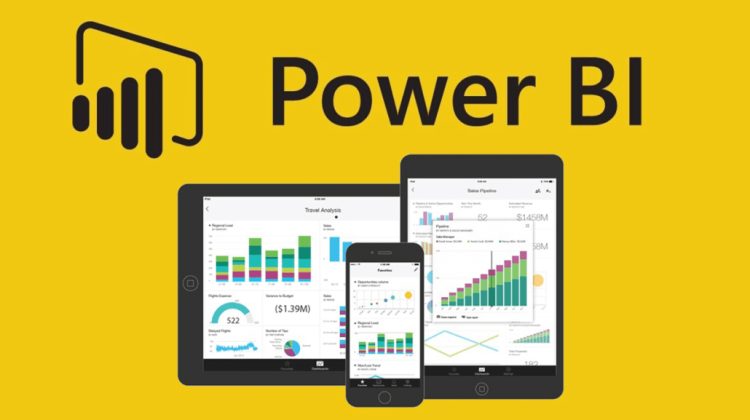
Are you running a business in Nigeria and still making key choices based on gut feel? If so, Power BI can change that. Not only does it turn raw data into clear, visual dashboards, but it also helps you spot trends, track sales, and act fast. In short, Power BI gives Nigerian business owners the edge they need to make smart choices every single day.
Specifically, this guide covers how to build Power BI dashboards that work for Nigerian businesses. Whether you run a shop in Lagos, a firm in Abuja, or a growing startup anywhere in Nigeria, this step-by-step guide will help. Furthermore, it covers the key charts to use, the data to track, and how to set up your first live dashboard from scratch.
So, What Is Power BI and Why Does It Matter for Nigerian Businesses?
Simply put, Power BI is a free business tool from Microsoft that turns spreadsheet data into visual dashboards. It connects to Excel, Google Sheets, SQL databases, and many other data sources. As a result, you can see all your key business numbers in one clean, easy-to-read screen. Plus, it updates in real time when your data changes.
In Nigeria, many small and mid-size businesses still track sales in Excel files and WhatsApp records. While this works for a while, it becomes slow and hard to manage as the business grows. Therefore, Power BI solves this by pulling all that data together and turning it into charts and tables you can act on right away.
Why Nigerian Businesses Need Power BI Right Now
Indeed, the case for Power BI in Nigeria is strong. Here are the main reasons why more Nigerian firms are now adopting it:
- Naira volatility means margins shift fast — Power BI lets you see profit changes in real time
- Most Nigerian banks and fintech apps can export data to Excel, which feeds directly into Power BI
- FIRS and tax bodies now expect cleaner financial records — Power BI helps you stay audit-ready
- Nigerian investors and partners now ask for data dashboards as part of due diligence
- Power BI Desktop is free to download and use — no monthly fee required to get started

So, How Do You Get Started With Power BI in Nigeria?
Before you build your first dashboard, you need to set up the tool. Fortunately, this is quick and free. To begin, follow these three simple steps:
Step 1: Download Power BI Desktop
First, go to powerbi.microsoft.com and download Power BI Desktop for free. It works on any Windows PC or laptop. Indeed, most Nigerian business owners use it on a standard office laptop without any issues. Plus, Microsoft releases updates every month, so the tool keeps getting better at no extra cost.
Step 2: Prepare Your Data
Next, your data needs to be clean before Power BI can use it well. Specifically, this means your Excel files should have clear column headers, no merged cells, and no blank rows. In addition, dates should all be in the same format. If you use accounting software like Sage or QuickBooks, both can export clean Excel files that Power BI reads with ease.
Step 3: Connect Your Data Source
Then, open Power BI Desktop and click ‘Get Data’. From there, choose your source — Excel, CSV, SQL, or even a web link. Power BI will load your data and show it in a table view. At this point, you can clean and shape the data using Power Query before you start building charts. Also, you can connect to multiple sources at once, which is useful if your sales and stock data live in separate files.
Key Dashboards Every Nigerian Business Should Build
Now that your data is connected, let us look at the most useful dashboards for Nigerian businesses. Not all dashboards are equal. Therefore, focus on the ones that solve real problems in your business first. Here are the five most impactful ones to build:
1. Sales Performance Dashboard
To start, every Nigerian business needs a clear view of its sales. A sales dashboard shows total revenue, units sold, top products, and sales trends over time. Specifically, it helps you answer questions like: Which product sold most this week? Which sales rep hit their target? As a result, you can reward good work and fix weak spots fast.
Key charts to include in your sales dashboard:
- Bar chart: Monthly sales by product or region
- Line chart: Sales trend over the last 12 months
- Card visual: Total revenue, total units sold, average order size
- Map visual: Sales by state or city across Nigeria
- Table: Top 10 customers by spend this month
2. Cash Flow and Finance Dashboard
Furthermore, cash flow is the lifeblood of any Nigerian business. Many firms are profitable on paper but still run out of cash. In fact, this is one of the top reasons small businesses in Nigeria fail. A cash flow dashboard shows money coming in versus money going out, week by week. So, you can see gaps before they become a crisis.
Key charts to include in your finance dashboard:
- Waterfall chart: Cash inflows versus outflows by month
- Line chart: Running cash balance over time
- Pie chart: Expense breakdown by category (salaries, rent, stock, etc.)
- Card visual: Days of cash remaining, total receivables, total payables
- Table: Unpaid invoices sorted by how late they are
3. Inventory and Stock Dashboard
In addition, if your business sells physical goods, a stock dashboard will save you time and money. Specifically, it tracks what items are low, what is moving fast, and what is sitting idle. As a result, you can reorder on time and avoid both stockouts and overstock — two costly problems for Nigerian traders.
Key charts to include in your stock dashboard:
- Bar chart: Stock levels by product SKU
- Alert card: Items below reorder level (use conditional formatting to flag in red)
- Line chart: Stock movement over time — which items move fast
- Table: Dead stock — items with no sales in the last 30 days
- Gauge visual: Warehouse fill rate as a percentage
4. HR and Staff Performance Dashboard
Equally, if you have a team, an HR dashboard helps you track staff output without relying on verbal reports. Indeed, it shows attendance, targets hit, leave days used, and output per staff member. Plus, it removes bias from performance reviews because the data speaks for itself. This is especially useful for Nigerian businesses with staff across multiple locations.
Key charts to include in your HR dashboard:
- Bar chart: Output or sales per staff member this month
- Card visual: Total headcount, absenteeism rate, open roles
- Table: Staff leave balances and days remaining
- Line chart: Headcount growth over the last 12 months
- Slicer: Filter by department, location, or role
5. Customer Insights Dashboard
Finally, a customer dashboard helps you know your buyers better. Specifically, it shows who your top customers are, how often they buy, and which ones are at risk of leaving. In the same vein, it tracks new customers versus returning ones. As a result, you can focus your sales team on the right people and grow your revenue without finding new customers every time.
Key charts to include in your customer dashboard:
- Bar chart: Top 20 customers by total spend
- Line chart: New customers acquired per month
- Scatter chart: Customer value versus purchase frequency
- Table: Customers with no purchase in the last 60 days (at-risk list)
- Card visual: Customer retention rate, average order value, lifetime value
How to Build Power BI Dashboards That Actually Drive Decisions
Building a dashboard is one thing. Building one that people actually use to make choices is another. So, here are the key rules that separate a useful dashboard from one that gets ignored:
Use Simple, Clear Visuals
First, resist the urge to add too many charts to one page. A clean dashboard with five key visuals beats a crowded one with twenty. In fact, the best dashboards in Nigerian businesses tend to have one key metric at the top — such as total revenue today — and supporting charts below. This way, the user knows at a glance if the business is on track.
Add Slicers for Filtering
Next, slicers let users filter the dashboard by date, region, product, or staff member. Specifically, a date slicer is the most useful filter for Nigerian businesses because it lets you compare this month to last month with one click. Plus, slicers make one dashboard work for many users without building separate reports for each person.
Use Nigerian Naira Formatting
In addition, always format your currency fields in Nigerian Naira (NGN). Specifically, go to the column settings in Power BI and set the format to custom, then type the Naira symbol before the number. This way, your dashboard looks professional and avoids confusion when sharing with local partners or investors.
Set Up Automatic Data Refresh
Also, a dashboard that does not update is just a static report. Therefore, use Power BI Service (the free online version) to schedule automatic data refreshes. Specifically, if your data lives in a SharePoint folder or OneDrive, Power BI can refresh it daily or even hourly. As a result, your team always sees live numbers without anyone having to update the file by hand.
Build Mobile-Friendly Views
Furthermore, many Nigerian business owners check data on their phones. In Power BI, you can build a phone layout for each dashboard page. Specifically, go to View and select Mobile Layout, then drag your key visuals into a phone-sized canvas. This way, your sales manager in Port Harcourt can check today’s numbers on the road without needing a laptop.

Common Power BI Mistakes Nigerian Businesses Make
Before you build your first dashboard, it helps to know what to avoid. Indeed, these are the most common errors that waste time and produce bad results:
- Dirty data: Inconsistent date formats, blank rows, and merged cells in Excel will break your Power BI report. Always clean your data first in Excel or Power Query before connecting it.
- Too many visuals: Cramming 15 charts onto one page makes the dashboard hard to read. Stick to five or six key visuals per page and use separate pages for different topics.
- No clear goal: Every dashboard should answer a specific question. If you cannot state what question your dashboard answers in one sentence, start over with a clearer brief.
- Ignoring mobile: Over 70% of Nigerian internet users access content on mobile. Always build a phone layout for your key dashboards so your team can use them on the go.
- Not sharing the dashboard: Many teams build great dashboards but only one person can see them. Use Power BI Service to publish and share your dashboards with your whole team for free.
- Skipping DAX formulas: Basic Power BI charts use raw data. But DAX formulas let you calculate growth rates, running totals, and year-on-year changes. Learning even five basic DAX formulas will make your dashboards ten times more powerful.
Five DAX Formulas Every Nigerian Business Owner Should Know
Not only does Power BI let you display data, but it also lets you calculate new metrics using DAX — Data Analysis Expressions. Here are five formulas that solve real Nigerian business problems:
| DAX Formula | What It Does | Nigerian Business Use |
| CALCULATE | Filters a measure by set rules | Calculate sales for Lagos only |
| SUMX | Adds a column row by row | Total revenue = price × quantity per item |
| DIVIDE | Divides safely (no error on zero) | Gross margin % without divide-by-zero crash |
| DATEADD | Shifts a date by a set period | Compare this month sales to last month |
| RANKX | Ranks items in a list | Rank top 10 products or sales reps by revenue |
Free Power BI Learning Resources for Nigerian Users
In addition to building dashboards, you need to keep growing your Power BI skills. Fortunately, most of the best learning resources are free. Here are the top ones to use right now:
- Microsoft Learn (learn.microsoft.com): Free, self-paced Power BI courses direct from Microsoft. The Power BI learning path covers everything from basics to DAX and takes about 10 hours to complete.
- Guy in a Cube (YouTube): One of the best free Power BI YouTube channels. Their videos cover real business use cases and DAX tricks in plain English.
- com: The best free resource for learning DAX formulas in depth. Their DAX Guide is a free reference for every DAX function.
- Power BI Community (community.powerbi.com): A free forum where you can post questions and get answers from Power BI experts worldwide — including many African users.
- org: Covers Excel and Power BI together, which is useful for Nigerian business owners who already know Excel well.
- Abuja Tech Hub and Lagos Data Community: Local Nigerian tech groups that run free Power BI workshops from time to time. Follow them on LinkedIn and Twitter for event updates.
Frequently Asked Questions (FAQs)
Q1: So, Is Power BI Free for Nigerian Businesses?
Yes, Power BI Desktop is fully free to download and use. You can build dashboards and share them as PDF or PowerPoint files at no cost. However, if you want to publish live dashboards online and share them with your team, you need Power BI Pro, which costs about $10 per user per month. Plus, many Nigerian firms find the free version more than enough to start with.
Q2: Furthermore, Can Power BI Work With Nigerian Accounting Software?
Yes, it can. Most Nigerian accounting tools — including Sage, QuickBooks, and Odoo — can export data to Excel or CSV. Power BI reads both formats with ease. In addition, some tools like Zoho Books and FreshBooks have direct Power BI connectors. So, your financial data can flow straight into your dashboards without any manual export.
Q3: Also, Do I Need to Know Coding to Use Power BI?
No, you do not need to code to build basic dashboards. Power BI is a drag-and-drop tool at its core. However, learning DAX formulas will make your dashboards far more powerful. In fact, most Nigerian business owners pick up the five key DAX formulas in a single weekend. Also, Microsoft Learn offers free, guided DAX tutorials that require no coding background.
Q4: Additionally, How Do I Share My Power BI Dashboard With My Team?
To share a live dashboard, publish it to Power BI Service using your free Microsoft account. Then send the link to your team. Specifically, anyone with a Power BI Pro licence can view and interact with the dashboard in their browser or on the Power BI mobile app. Also, you can export any dashboard page as a PDF or PowerPoint slide and share it via email or WhatsApp.
Q5: Finally, How Long Does It Take to Build a Power BI Dashboard?
That depends on how clean your data is. Generally, a basic sales dashboard with clean Excel data takes two to four hours to build for the first time. Once your data model is set up, adding new dashboard pages takes much less time — often under an hour. So, invest time in cleaning your data well at the start, and every dashboard after that will be fast to build.
Conclusion
Ultimately, Power BI is one of the most useful tools a Nigerian business owner can learn in 2025. Whether you want to track sales, cut waste, or impress investors, a well-built dashboard puts the right data in front of the right people at the right time. In addition, it is mostly free, works with data you already have, and does not require a data science degree to use.
Your First Step Starts Today
To that end, download Power BI Desktop today and connect it to one Excel file you already have. Then build one simple chart. As a result, you will see how fast raw data can become a clear, useful visual. Once you see it work, the rest comes naturally. Above all, remember that the best dashboard is not the most complex one — it is the one your team looks at every day to make better choices.