Clear Advice to Avoid Website Design Mistakes Easily

Are you a beginner web designer who wants to avoid the mistakes that hold Nigerian websites back? If so, your search ends here. Abuja Data School is Nigeria’s top live technology training centre. Every beginner Nigerian web designer makes mistakes; the goal is to make them once, recognise them early, and build the habits that prevent them from showing up in every site you build. In short, the mistakes in this guide are the ones Abuja Data School instructors see most often in beginners’ first Nigerian websites, and fixing them instantly elevates your work from amateur to professional.
So, this guide covers the 15 most common website design mistakes Nigerian beginners make, why each one hurts your site, and exactly how to fix it. In addition, it covers the design principles that prevent these mistakes from happening in the first place. As a result, by the end of this guide, your Nigerian websites will be cleaner, faster, more trustworthy, and significantly better at converting visitors into clients and customers.

Website-Mistakes

Mistake 1: No Clear Call to Action (CTA)

The most common and most costly mistake on Nigerian beginner websites. Also, a page without a clear CTA is a page that does not know what it wants the visitor to do. Nigerian visitors will not guess; they will leave. In short, every page on your Nigerian website must have one primary CTA: “Call us now”, “Send a WhatsApp”, “Enrol today”, or “Get a free quote”.
How to fix it: Decide what action you want each Nigerian page visitor to take. Place a clear, colourful button with specific text above the fold (visible before scrolling) on every page. Furthermore, repeat the CTA at the bottom of long pages. In short, your CTA should be impossible to miss on both desktop and Nigerian mobile screens.

Mistake 2: Slow Page Load Speed

A slow Nigerian website is a dead Nigerian website. Also, over 80 per cent of Nigerian visitors browse on mobile data, where every kilobyte costs them money and every second costs you a visitor. Furthermore, Google ranks faster Nigerian websites higher in search results. In short, if your Nigerian site takes more than 3 seconds to load on a 4G connection, you are losing traffic, leads, and Google ranking simultaneously.
How to fix it: Compress all images with TinyPNG before uploading. Install W3 Total Cache on WordPress. Activate Cloudflare’s free CDN. Also, run Google PageSpeed Insights and fix every red issue before launch. In short, image optimisation alone fixes the most common Nigerian website speed problem.

Mistake 3: Not Designing for Mobile First

Most Nigerian websites receive 70 to 90 per cent of their traffic from mobile devices, yet beginners commonly design on a laptop and only check mobile as an afterthought. Also, the result is a site that looks good on a 15-inch screen but breaks, overflows, or becomes unusable on a budget Nigerian Android phone. Furthermore, Google uses mobile-first indexing, so a broken mobile layout hurts your Nigerian Google ranking.
How to fix it: Start every new Nigerian website design on a 375-pixel-wide screen. Also, use Chrome DevTools to simulate Nigerian mobile devices during every development session. Furthermore, test on a real budget Android phone before launch. In short, design for the Nigerian screen that most of your visitors actually use.

Mistake 4: Too Many Fonts and Colours

Nigerian beginner websites frequently use 4 or 5 different fonts and 6 or 7 colours across a single page. Also, this creates visual chaos that makes the site look unprofessional and hard to read. Furthermore, inconsistent typography and colour use signal to Nigerian visitors that the business behind the site is similarly disorganised. In short, design restraint is a professional quality.
How to fix it: Choose a maximum of 2 fonts (one heading, one body) and 3 colours (primary, secondary, neutral). Also, define these in a simple style guide before building any page. In short, consistency is the foundation of professional Nigerian web design.

Mistake 5: No SSL Certificate (HTTP Instead of HTTPS)

A Nigerian website without SSL shows “Not Secure” in Chrome and loses Google ranking. Also, Nigerian visitors who see this warning immediately leave, especially for any site that asks for personal or payment details. Furthermore, free Let’s Encrypt SSL takes under 10 minutes to activate through cPanel or Cloudflare. In short, there is no excuse for a Nigerian website to launch without HTTPS in 2026.
How to fix it: Activate Let’s Encrypt SSL through your cPanel, or enable Cloudflare’s free universal SSL by changing your domain nameservers. Also, install the Really Simple SSL WordPress plugin to force HTTPS and fix mixed content warnings automatically.

Mistake 6: Generic Stock Photos

Nigerian beginner websites often use the same foreign stock photos that appear on thousands of other sites: the smiling corporate handshake and the generic laptop on a desk. Also, Nigerian visitors immediately recognise stock photos, and they reduce trust. Furthermore, a photo of a real Nigerian team, a real Nigerian product, or a real Nigerian location converts far better than any foreign stock image.
How to fix it: Use your own photos wherever possible. Also, if you must use stock photos, choose images of Black and African people from sites like Pexels, Unsplash, or Nappy.co. In short, authentic Nigerian imagery builds more trust with Nigerian visitors than any perfectly composed foreign stock image.

Mistake 7: Walls of Text

Long, unbroken paragraphs kill Nigerian website engagement. Also, Nigerian visitors scan before they read; if a page looks like a wall of text, they leave before reading a word. Furthermore, walls of text are even harder to read on a small Nigerian mobile screen. In short, no paragraph on a Nigerian website should exceed 4 lines on a mobile screen.
How to fix it: Break long paragraphs into 2 to 3 sentence chunks. Also, use bullet points, numbered lists, bold text, and subheadings to create visual hierarchy and scanning patterns. Furthermore, add white space between sections so the page breathes. In short, your Nigerian website content should look as easy to read as it actually is.

Mistake 8: Missing Contact Information

Nigerian beginner websites often hide or completely omit contact information. Also, a Nigerian visitor who cannot quickly find a phone number, WhatsApp link, or email address on your site will simply move on to a competitor who makes it easy. Furthermore, for Nigerian businesses, a visible WhatsApp number is the single most important trust signal on the entire site. In short, your Nigerian contact details should appear in the header, footer, and on a dedicated contact page.
How to fix it: Add your WhatsApp number, phone number, and email to your website header. Also, create a simple contact page with a form, phone, WhatsApp, email, and physical address if relevant. Furthermore, add a WhatsApp click-to-chat floating button on every page. In short, make it effortless for a Nigerian visitor to reach you from any page at any time.

Mistake 9: No About Page or Vague About Page

Nigerian visitors want to know who is behind a website before they trust it. Also, a missing or generic “About” page, “We are a team of dedicated professionals”, creates more suspicion than confidence. Furthermore, Nigerian clients and partners want to see real names, real photos, and real credentials before they engage a Nigerian business online. In short, your Nigerian About page is your most important trust-building page.
How to fix it: Write an honest, specific page with the founder’s name and photo, the team’s relevant experience, the business location (Abuja, Lagos, etc.), and what makes you different. Also, add client logos, testimonials, or certifications if available. In short, specificity builds trust and generality destroys it.

Mistake 10: Broken Links and 404 Errors

Nothing undermines trust on a Nigerian website faster than clicking a link and landing on a 404 error page. Also, broken links signal poor maintenance and make Nigerian visitors question whether the business is still active. Furthermore, 404 errors also hurt your Nigerian Google search ranking over time. In short, broken links are a maintenance problem that compounds the longer they are left unfixed.
How to fix it: Run a free broken link scan using Broken Link Checker (WordPress plugin) or Ahrefs. Broken Link Checker (free online). Also, fix or redirect every broken link before launch and recheck every 3 months. In short, schedule quarterly link audits as part of your Nigerian website maintenance routine.

Mistake 11: Ignoring SEO Basics

Many Nigerian beginner websites launch with no title tags, no meta descriptions, and no heading structure, making them essentially invisible to Google in Nigerian search results. Also, basic on-page SEO takes under an hour per page and significantly improves Nigerian search visibility. Furthermore, installing Yoast or RankMath on a Nigerian WordPress site automates most of the basic SEO setup. In short, launch no Nigerian page without a focus keyword, a title tag, and a meta description.

Mistake 12: Copying a Competitor’s Design

Nigerian beginner designers sometimes copy the look, layout, and even content of a competitor’s website. Also, this is both ethically wrong and strategically harmful; it positions your Nigerian brand as derivative rather than original. Furthermore, if you copy a competitor who already has low conversion rates, you inherit their problems. In short, take inspiration from professional Nigerian and international websites, but build something genuinely your own.

Mistake 13: No Social Proof

Nigerian visitors trust other Nigerians more than they trust brands. Also, a Nigerian website with no testimonials, no client logos, no case studies, and no reviews asks visitors to trust a brand they have never heard of with no external validation. Furthermore, even 2 or 3 specific, real testimonials from Nigerian clients dramatically increase conversion. In short, social proof is not optional on a Nigerian website; it is a conversion requirement.

Mistake 14: Cluttered Navigation

Nigerian beginner websites often pack every possible page into the top navigation menu: Home, About, Services, Team, Blog, Gallery, FAQ, Events, Contact, and Partners all visible at once. Also, cluttered navigation overwhelms Nigerian visitors and makes the site feel complex. Furthermore, the most effective Nigerian website navigation has 4 to 6 items maximum. In short, every navigation item should link to a page that a Nigerian visitor genuinely needs.
How to fix it: Keep your main navigation to 5 items or fewer. Also, move secondary pages like Privacy Policy, Terms, and FAQ to the footer. Furthermore, use dropdown menus only when the sub-pages genuinely help the visitor navigate, not to make the site look larger than it is.

Mistake 15: Not Testing Before Launch

Nigerian beginner websites often go live with broken forms, unclicked buttons, and untested checkout flows. Also, a Nigerian visitor who tries to contact you and gets a broken form does not try again; they go to a competitor. Furthermore, testing a Nigerian website takes under 2 hours and catches the errors that drive away the visitors you have worked hardest to attract. In short, never launch a Nigerian website you have not tested on a real device, a real connection, and through every user journey.
Pre-launch checklist: Test every form submission. Also, click every link. Test the checkout process end to end on a Nigerian payment gateway. Load the site on a real Android phone. Check the site on both Chrome and Firefox. In short, treat your launch as a product release, not a rough draft.

Free Resource: MDN Web Docs

In addition to Abuja Data School’s live training, Abuja Data School recommends MDN Web Docs as the best free technical reference for Nigerian web designers and developers who want to build on solid foundations. MDN covers HTML, CSS, accessibility, responsive design, and web performance the exact skills that prevent the design mistakes in this guide. Also, MDN’s guides are written for real practitioners and remain relevant at every stage of your Nigerian web development career. Moreover, MDN is completely free with no account required. As a result, any Nigerian web designer who reads the relevant MDN articles alongside Abuja Data School’s live training will have both the technical knowledge and the design judgment to avoid every mistake in this guide from project one.
Use MDN for technical HTML, CSS, and design reference. Abuja Data School provides live instruction on building professional Nigerian websites with real projects, real feedback, and real standards.

How Abuja Data School Trains Nigerian Web Designers to Avoid These Mistakes

Abuja Data School’s web development curriculum specifically addresses each of the mistakes in this guide. Also, students build real Nigerian websites in live sessions where instructors give line-by-line feedback on design, performance, and usability. Furthermore, the project-based curriculum means every student encounters and fixes these mistakes on their own work before they encounter them on a client’s site. In short, Abuja Data School’s approach ensures Nigerian web designers develop the habits and the eye for quality that prevent beginner mistakes from becoming career-long patterns.

Build Better Nigerian Websites From Your Very Next Project

Ultimately, the difference between a beginner Nigerian website and a professional one is not complexity; it is attention to fundamentals. Each mistake in this guide has a simple fix. These are skills you can learn and apply in your next Nigerian web project. The Nigerian web developers who build the best sites are not necessarily the most creative or the most technically advanced; they are the most consistent in applying the basics correctly.
To that end, take your next step today. Visit the Abuja Data School Data Analysis page and enrol in the web development course. As a result, the mistakes in this guide will become the habits you never form rather than the patterns you have to unlearn.
Analytics

Clear Advice to Monitor Website Performance in Google Analytics

Are you looking for a clear, practical guide to using Google Analytics to track your Nigerian website’s performance? If so, your search ends here. Abuja Data School is Nigeria’s top live technology training centre. Google Analytics is the most powerful free website analytics tool in the world, and most Nigerian website owners either do not use it at all or have it installed but never open the dashboard. In short, if you are not tracking your Nigerian website’s performance, you are running your online presence blind.
So, this guide covers what Google Analytics 4 (GA4) is, how to set it up on your Nigerian website, the 10 most important metrics every Nigerian website owner needs to understand, the key reports to check every week, and how to turn data into real decisions that grow your Nigerian business online. In addition, it covers how to link Google Analytics with Google Search Console for a complete picture of your Nigerian website’s performance. As a result, by the end of this guide, Google Analytics will go from an unused dashboard to your most valuable Nigerian business tool.
Google Analytics

What Is Google Analytics 4 (GA4)?

Google Analytics 4 is the current version of Google’s free web analytics platform. Also, GA4 replaced Universal Analytics (UA) in July 2023, so any Nigerian website still on the old Universal Analytics is running on discontinued software with no new data being collected. Furthermore, GA4 is built around an event-based tracking model rather than session-based tracking, which gives Nigerian website owners more flexible and accurate data about how visitors actually behave on their sites. In short, GA4 is a significant upgrade from Universal Analytics and the standard every Nigerian website should now run on.

Step 1: Create a Google Analytics 4 Account

Setting up GA4 for a Nigerian website takes under 15 minutes. Here is the process:
  • Go to analytics.google.com and sign in with your Google account.
  • Click “Start measuring.” Give your account a name (for example: My Nigerian Business).
  • Create a property. Also, give it the same name as your website and select Nigeria as the country. Select Naira as the currency.
  • Choose “Web” as your data stream type and enter your Nigerian website URL.
  • GA4 generates a Measurement ID (format: G-XXXXXXXXXX). Also, copy this ID; you need it for the next step.
In short, the account and property setup creates the container that will hold all your Nigerian website data. The next step connects your website to that container.

Step 2: Install the GA4 Tracking Code on Your Nigerian Website

For WordPress Sites

The easiest method for Nigerian WordPress sites is the Google Site Kit plugin. Also, Site Kit connects Google Analytics, Google Search Console, and PageSpeed Insights to your WordPress admin in a single plugin. Here is how: install and activate Google Site Kit from the WordPress plugin directory, click “Set up” and connect your Google account, select your GA4 property, and Site Kit automatically adds the tracking code to every page. In short, Site Kit is the recommended method for Nigerian WordPress site owners who want all their Google tools in one dashboard.

For Custom HTML Websites

Copy the GA4 global site tag code from your GA4 property’s “Data Streams” section. Also, paste the code inside the <head> section of every HTML page you want to track. Furthermore, if your Nigerian site uses a shared header file (header.php, header.html), paste the code once in that file, and it applies to every page automatically. In short, the tracking code must appear on every Nigerian page you want to measure.

Verify the Installation

After installation, go to GA4 → Reports → Realtime. Also, open your Nigerian website in a separate browser tab. If you see yourself as an active user in the Realtime report within 30 seconds, the tracking code is working correctly. Furthermore, use the Google Tag Assistant Chrome extension to verify the tag fires on every page. In short, always verify your GA4 tracking before trusting any data.

The 10 Most Important GA4 Metrics for Nigerian Websites

Metric
What It Measures
Why It Matters for Your Nigerian Site
Users Unique visitors in the period
Total audience size is your Nigerian traffic growing?
Sessions Total visits (one user can have many) Overall engagement volume
Engaged sessions Sessions with 10+ secs, 2+ pages, or a conversion Quality of Nigerian visitor engagement
Engagement rate % of sessions that are engaged Replaces old bounce rate in GA4. Above 50% is healthy.
Average engagement time How long visitors actively interact with your page Content quality signal for Nigerian pages
Traffic channels Where visitors come from: Organic, Social, Direct, Referral Which Nigerian channels drive your best traffic
Top pages Which pages get the most Nigerian traffic Identify your best content and highest-traffic entry points
Conversions Goal completions: form submissions, button clicks Are Nigerian visitors taking the action you want?
Device category Mobile vs desktop vs tablet Confirms whether most Nigerian visitors use mobile (they do)
Country / City Geographic breakdown of visitors Confirm Nigerian vs international traffic split

The 5 GA4 Reports Every Nigerian Website Owner Should Check Weekly

1. Acquisition → Traffic Acquisition

This report shows where your Nigerian visitors come from: Organic Search (Google), Direct (typed URL), Social (Instagram, Twitter, LinkedIn), Referral (other websites), and Paid (Google Ads). Also, focus on which channel brings the most engaged Nigerian visitors, not just the most visitors. Furthermore, a channel that sends 100 visitors who all leave immediately is less valuable than one that sends 20 visitors who convert. In short, traffic source quality matters more than quantity for most Nigerian websites.

2. Engagement → Pages and Screens

This report shows which pages Nigerian visitors view most often, how long they stay, and how many engage. Also, use this report to identify your highest-traffic Nigerian pages and ensure they have clear calls to action. Furthermore, low-engagement pages on popular Nigerian topics signal content that needs improvement. In short, your top pages are your most valuable real estate; optimise them first.

3. Engagement → Events

GA4 tracks user actions as events: page views, clicks, scroll depth, video plays, and file downloads. Also, scroll depth events tell you whether Nigerian visitors are reading your content or leaving after the first paragraph. Furthermore, you can create custom events to track specific Nigerian business actions: WhatsApp button clicks, contact form submissions, and product enquiry button clicks. In short, events turn passive traffic data into active behavioural insight.

4. Demographics → Audience

This report shows the age, gender, and interest breakdown of your Nigerian visitors when demographic data is available. Also, confirming that your Nigerian audience matches your target customer profile is a critical validation step. Furthermore, a Nigerian business targeting working professionals aged 25 to 40 that finds most of its audience is 18 to 24 needs to review its content and marketing strategy. In short, demographic data tells you whether the right Nigerians are finding your website.

5. Retention → User Retention

This report shows how many Nigerian visitors return to your site over time. Also, a high return rate signals that your content is valuable enough that Nigerians choose to come back. Furthermore, low retention on a Nigerian service site may indicate that visitors are not finding what they need on the first visit. In short, retention is one of the clearest signals of whether your Nigerian website genuinely serves its audience.

How to Link Google Analytics With Google Search Console

Linking GA4 to Google Search Console gives you a combined view of how Nigerian visitors find and interact with your site. Also, the Search Console → Queries report (available after linking) shows exactly which Nigerian Google search terms bring visitors to each of your pages. Furthermore, this data reveals opportunities to optimise pages for the Nigerian keywords that already drive some traffic. Here is how to link them:
  • Go to GA4 → Admin → Product Links → Search Console Links.
  • Click “Link” and select your Search Console property.
  • Select the data stream and confirm.
  • Data takes 24 to 48 hours to appear. Also, find it at Reports → Acquisition → Search Console.
In short, the GA4 + Search Console connection is the most powerful free analytics upgrade any Nigerian website owner can make. Furthermore, it shows which Nigerian search queries convert and which pages need better content to capture Nigerian search demand.

Turning GA4 Data Into Real Decisions for Your Nigerian Website

  • Low engagement rate on a page: Rewrite the headline, add more specific Nigerian content, or add a clear call to action.
  • High mobile traffic, low mobile conversion: Your Nigerian site has a mobile usability problem. Test on a real Android phone and fix layout issues.
  • Organic search declining: A Nigerian competitor may be outranking you. Also, check Search Console for keyword ranking drops and improve those pages.
  • Social media traffic not converting: Your Nigerian social content attracts visitors but does not align with what they find on the landing page. Match your social post promise to the page content.
  • Certain pages drive most conversions: Give those Nigerian pages more traffic by linking to them from your homepage, social posts, and email campaigns.
In short, data without decisions is useless. Also, spend 30 minutes every week in GA4 looking at your Nigerian website’s numbers and asking: what does this tell me, and what one change should I make this week?

Free Resource: Google Analytics Help Centre

In addition to Abuja Data School’s live training, Abuja Data School recommends the Google Analytics Help Centre as the best free resource for Nigerian website owners learning GA4. The Help Centre covers account setup, data stream configuration, event tracking, custom reports, and every GA4 feature in plain English with step-by-step screenshots. Also, Google’s free GA4 courses in Skillshop (skillshop.google.com) give Nigerian learners a structured curriculum with certification at the end. Moreover, both resources are completely free. As a result, any Nigerian who reads the GA4 Help Centre guides alongside Abuja Data School’s live training will understand GA4 at a level that most Nigerian website owners and marketers never reach.
Use the Google Analytics Help Centre for specific feature questions. Abuja Data School provides live, structured instruction on analytics, web development, and the data skills that power Nigerian digital careers.

How Abuja Data School Teaches Web Analytics

Abuja Data School’s web development and data analysis curricula both cover Google Analytics 4 as a core tool. Also, students learn to set up GA4 on their own live Nigerian websites, configure custom events, build custom reports, and interpret the data to make real recommendations. Furthermore, data analysis students connect GA4 to data storytelling and dashboard skills, learning to present website performance insights in a clear, visual format that Nigerian clients and employers expect. In short, Abuja Data School builds GA4 skills that go beyond the dashboard, turning Nigerian website data into decisions that drive real growth.

Frequently Asked Questions: Google Analytics

Q1: Is Google Analytics 4 Free?

Yes. GA4 is completely free for all Nigerian website owners. Also, Google Analytics 360 (the paid enterprise version) exists for very large organisations, but the free GA4 has more than enough data and features for every Nigerian small business, NGO, and professional website. In short, there is no reason for any Nigerian website to run without GA4 — the cost of not knowing your data is far higher than the zero cost of the tool.

Q2: How Long Before GA4 Shows Useful Data?

GA4 starts collecting data the moment the tracking code goes live. Also, meaningful trend data takes 2 to 4 weeks to accumulate before comparisons become reliable. Furthermore, the Realtime report shows data within seconds. In short, install GA4 today and return in 4 weeks to start making data-driven decisions about your Nigerian website.

Q3: What Is the Difference Between Users and Sessions in GA4?

A user is a unique person who visited your Nigerian website in the selected period. Also, a session is one visit. One user can have multiple sessions. A Nigerian visitor who comes three times in a week is one user but three sessions. Furthermore, users tell you how many people your site reached; sessions tell you how active they were. In short, grow both numbers, but watch engagement rate to confirm quality is growing alongside quantity.

Track Your Nigerian Website Performance: Start With Abuja Data School

Ultimately, a Nigerian website without Google Analytics is a business decision made in the dark. Every page, every visitor, every conversion on your Nigerian site generates data that can help you grow faster, spend marketing money smarter, and improve your online presence continuously. GA4 is free; it is powerful, and it is 15 minutes away from your first data point.
To that end, take your next step today. Visit the Abuja Data School Data Analysis page and enrol in the web development or data analysis course. As a result, your Nigerian website will move from a static online presence to a data-driven growth engine.
CMS

Clear Advice on Selecting a Content Management System

Are you wondering what a content management system (CMS) is and which one to use for your Nigerian website? If so, your search ends here. Abuja Data School is Nigeria’s top live technology training centre. A CMS is one of the most important decisions a Nigerian website owner makes because it determines how easy or difficult it is to manage content, how much your site costs, and how much developer help you need every time you want to make a change. In short, the right CMS makes your Nigerian website an asset. The wrong one makes it a liability.
So, this guide explains what a CMS is in plain English, how it works, the different categories of CMS, and a clear comparison of the most widely used options in Nigeria. In addition, it gives a decision framework to help Nigerian business owners, NGOs, bloggers, and developers choose the right CMS for their specific situation. As a result, by the end of this guide, you will know exactly which CMS is right for your Nigerian website.
CMS

What Is a Content Management System (CMS)?

A content management system is a software application that lets you create, edit, organise, and publish digital content, web pages, blog posts, product listings, images, and documents through a visual admin dashboard without writing code. Also, the CMS stores all your content in a database and handles the technical work of displaying it on your website. Furthermore, most CMS platforms use templates (called themes) to control the design, so you can change how your Nigerian website looks without touching code.
In short, a CMS separates the content from the code. Also, a Nigerian business owner can log in to a CMS, write a new blog post, publish it, and have it live on their website in under 5 minutes without calling a developer. Furthermore, this independence is the main reason Nigerian businesses choose a CMS over a custom-coded website.

How a CMS Works: The Basic Architecture

A traditional CMS has three layers:
  • Database: Stores all your content blog posts, product descriptions, page text, media files, and user accounts. MySQL is the most common database for Nigerian CMS platforms.
  • Backend (admin): The dashboard where Nigerian website managers log in to create and edit content. This is the familiar wp-admin interface that WordPress users interact with.
  • Frontend (theme): The visible website that Nigerian visitors see. Furthermore, the theme controls the layout, colours, and typography. The CMS pulls content from the database and displays it through the theme whenever a visitor loads a page. In short, the database holds the words, the theme controls the design, and the CMS engine connects them.

The Four Categories of CMS

1. Traditional (Coupled) CMS

The frontend and backend are tightly linked in one system. Also, WordPress, Joomla, and Drupal are traditional CMS platforms. Furthermore, content created in the admin automatically appears on the same website through the installed theme. In short, traditional CMS is the right choice for most Nigerian businesses that want a single, complete website managed from one dashboard.

2. Headless CMS

A headless CMS has a backend for managing content but no built-in frontend. Also, content is delivered via API to any frontend: a website, a mobile app, a digital signage screen, or any other digital surface. Furthermore, headless CMS platforms like Contentful, Sanity, and Strapi suit Nigerian developers building modern React or Next.js web applications that need content management without the constraints of a traditional theme. In short, headless CMS offers maximum flexibility for Nigerian full-stack developers building complex digital products.

3. SaaS Website Builder (All-in-One)

Platforms like Wix, Squarespace, and Webflow combine CMS, hosting, design, and domain management in one subscription. Also, no separate hosting setup is needed. Furthermore, Webflow specifically lets Nigerian designers build custom responsive sites with a visual editor while generating clean HTML, CSS, and JavaScript underneath. In short, SaaS builders are the fastest path to a live Nigerian website but offer less flexibility than self-hosted CMS options.

4. Static Site Generator with CMS

Static site generators like Hugo, Jekyll, or Next.js generate fast, secure HTML files that serve to Nigerian visitors without a database call. Also, headless CMS platforms pair with static generators to let Nigerian developers manage content visually while serving a performance-optimised static site. Furthermore, this combination is increasingly popular for Nigerian developer portfolios, documentation sites, and high-traffic blogs. In short, static + headless CMS gives maximum performance with editorial flexibility.

The 6 Most-Used CMS Platforms in Nigeria: Compared

CMS
Market Share
Best For (Nigeria)
Tech Skill
Nigerian Use Case
WordPress 43% global SMEs, NGOs, blogs, e-commerce Low–Med Most Nigerian business and NGO sites
Joomla 2.6% Portals, directories, community Medium Nigerian educational portals, directories
Drupal 1.8% Large, complex government sites High Nigerian federal government platforms
Webflow Growing Design-led business sites Low–Med Nigerian agencies and design-led SMEs
Shopify E-commerce Online stores Low Nigerian fashion and product stores
Contentful Headless Web apps, multi-channel High Nigerian fintech and media platforms

WordPress: The CMS That Powers Most Nigerian Websites

WordPress powers approximately 43% of all websites globally and an even higher proportion of Nigerian business and NGO websites. Here is why WordPress dominates the Nigerian market:
  • Free and open-source: WordPress software costs nothing. You pay only for hosting and optional premium themes or plugins.
  • Huge plugin ecosystem: Over 59,000 free plugins cover every Nigerian website need: WooCommerce for e-commerce, Yoast for SEO, Contact Form 7 for forms, and Elementor for drag-and-drop design.
  • Large Nigerian developer community: Thousands of Nigerian WordPress developers, trainers, and support forums exist. Also, finding help with a Nigerian WordPress issue is straightforward.
  • Manageable without a developer: Nigerian business owners can add pages, blog posts, products, and team members without calling a developer after the initial setup.
  • Flexible enough for most Nigerian use cases: From a church website to an e-commerce store to an NGO M&E portal, WordPress handles it all. Furthermore, custom post types and advanced custom fields extend it into near-application territory.
In short, WordPress is the right choice for 80% of Nigerian websites. Furthermore, it is what Abuja Data School’s web development curriculum trains students to build on because it is what Nigerian employers and clients most often ask for.

When to Choose a CMS Other Than WordPress in Nigeria

Choose Joomla When

Your Nigerian website is a community portal, a membership directory, or a multilingual site serving different Nigerian language audiences. Also, Joomla’s user management system handles complex permission structures better than basic WordPress. In short, choose Joomla for Nigerian directory and portal projects that outgrow WordPress’s default user roles.

Choose Drupal When

Your project is a large Nigerian government platform, a federal agency site, or a complex multi-department portal requiring strict content workflows and granular access controls. Also, Drupal’s architecture handles millions of pages and hundreds of content editors better than WordPress. Furthermore, several Nigerian government digital platforms run on Drupal for exactly these reasons. In short, choose Drupal for enterprise-scale Nigerian public sector projects.

Choose Webflow When

Your Nigerian website needs a unique, design-led look that no WordPress theme can produce, and you want to build it without writing CSS from scratch. Also, Webflow’s visual editor gives Nigerian designers complete control over every pixel while generating clean, responsive code automatically. Furthermore, Webflow’s built-in hosting and CMS make it genuinely all-in-one for Nigerian design studios and creative agencies. In short, choose Webflow when design quality is the priority and budget allows the monthly subscription.

Choose a Headless CMS When

Your Nigerian project needs to deliver content to multiple surfaces: a website, a mobile app, a TV display, and an API simultaneously. Also, headless CMS suits Nigerian fintech products, media companies, and e-learning platforms that need the same content managed once and published everywhere. Furthermore, Nigerian React and Next.js developers increasingly pair Sanity or Contentful with their frontend for this exact reason. In short, choose a headless CMS when your Nigerian digital product is genuinely multi-platform.

Free Resource: WordPress.org Documentation

In addition to Abuja Data School’s live training, Abuja Data School recommends the WordPress.org Documentation as the best free resource for Nigerian website owners learning to use WordPress as their CMS. The WordPress docs cover the admin dashboard, post and page creation, theme installation, plugin management, user roles, and every WordPress setting, all in plain English with screenshots. Also, the documentation includes beginner guides written specifically for non-technical Nigerian users who want to manage their own content without relying on a developer. Moreover, all WordPress documentation is free and searchable. As a result, any Nigerian who reads the WordPress docs alongside Abuja Data School’s live training will manage their Nigerian website content independently and confidently from day one.
Use the WordPress docs for admin and content questions. Abuja Data School provides live instruction on WordPress setup, theme development, plugin integration, and building complete Nigerian websites from scratch.

How Abuja Data School Teaches CMS and WordPress

Abuja Data School’s web development curriculum covers WordPress as the primary CMS, teaching students how to install, configure, theme, and extend WordPress for Nigerian business, NGO, and e-commerce use cases. Also, students learn to build custom WordPress themes from scratch using HTML, CSS, and PHP so they understand the CMS at a developer level, not just as a page editor. Furthermore, the curriculum covers the WordPress plugin ecosystem, WooCommerce, Elementor, Yoast SEO, and security hardening, giving every Abuja Data School graduate the complete WordPress skill set that Nigerian employers and clients request most often. In short, Abuja Data School trains you to build on WordPress like a professional, not just click around the dashboard.

Frequently Asked Questions: CMS

Q1: Do I Need a Developer to Use a CMS?

For the initial setup, yes or Abuja Data School training. Also, after the initial setup, most Nigerian business owners manage their own WordPress content independently. Furthermore, adding new pages, blog posts, products, and team members requires no developer once WordPress is set up correctly. In short, a CMS is specifically designed to remove developer dependency for day-to-day Nigerian content management.

Q2: Is WordPress Free?

The WordPress software itself is free and open-source. Also, you pay for hosting on Nigerian providers, your domain, and any premium themes or plugins you choose. Furthermore, many of the most powerful WordPress plugins, including WooCommerce, Yoast SEO, and Contact Form 7, are completely free. In short, a professional Nigerian WordPress site can be live within the first year if you build it yourself after Abuja Data School training.

Q3: Can I Move From One CMS to Another?

Yes, but it requires careful migration. Also, moving from WordPress to another CMS involves exporting content, re-importing it, and rebuilding the theme. Furthermore, domain and URL structure changes during migration can temporarily affect your Google ranking. In short, choose your CMS carefully from the start and build on it long-term rather than planning to switch.

Choose the Right CMS and Build It at Abuja Data School

Ultimately, the CMS you choose shapes your Nigerian website’s capability, cost, and flexibility for years. Most Nigerian businesses, NGOs, and bloggers will find WordPress the right answer. Webflow suits Nigerian designers best. Nigerian developers building complex products will find headless CMS worth exploring. The wrong CMS is not a disaster, but the right CMS makes everything easier from day one.
To that end, take your next step today. Visit the Abuja Data School Data Analysis page and enrol in the web development course. As a result, your Nigerian website will run on the right CMS, managed by the right skills, and built to grow with your Nigerian business for years.
E-commence-2

Essential Guide to Build an E-Commerce Website Quickly

Are you looking for a step-by-step guide to building an e-commerce website from scratch in Nigeria? If so, your search ends here. Abuja Data School is Nigeria’s top live technology training centre. E-commerce is one of Nigeria’s fastest-growing sectors, with millions of Nigerian consumers buying online every month. A well-built Nigerian e-commerce site does more than sell products; it builds trust, automates fulfilment, and processes Naira and dollar payments around the clock without a human in the loop.

So, this guide covers everything you need to build a Nigerian e-commerce website: platform choices, payment gateway integration, product setup, shipping configuration, SSL security, and a launch checklist. In addition, it covers the most common Nigerian e-commerce mistakes that cost sales. As a result, by the end of this guide, you will have a clear, practical plan to launch your Nigerian online store.

E-Commence Websites

Step 1: Choose Your E-Commerce Platform

Your e-commerce platform is the foundation of your Nigerian online store. Also, the right choice depends on your budget, your technical skill, and the scale of your Nigerian business. Here are the main options:
Platform
Best For
Nigerian Payment
Technical Skill
WooCommerce (WordPress) SMEs, fashion, food, digital goods Paystack, Flutterwave Low-Medium
Shopify Fashion, drop-shipping, growing brands Paystack (via plugin) Low
Paystack Shopfront Quick, simple product sales Paystack built-in Very Low
Flutterwave Store Nigerian sellers, fast setup Flutterwave built-in Very Low
Custom (React + Node.js) Complex apps, unique requirements Paystack, Flutterwave API High
In short, most Nigerian e-commerce businesses should start with WooCommerce or Paystack Shopfront. Also, WooCommerce gives the most control and flexibility for a Nigerian store with more than 20 products. Furthermore, Paystack Shopfront and Flutterwave Store are the fastest paths from zero to selling, ideal for Nigerian entrepreneurs who want to test demand before investing in a full website.

Step 2: Set Up Your Domain and Hosting

Your Nigerian e-commerce site needs a professional domain (yourstore.com or yourstore.com.ng) and reliable hosting. Also, e-commerce hosting needs to be faster and more reliable than a standard blog because every second of load time costs Nigerian sales.
  • Domain: Register at Namecheap or Web4Africa for .com.ng. Choose a domain that matches your Nigerian brand name.
  • Hosting: For WooCommerce, use SiteGround or Namecheap managed WordPress hosting. Avoid the cheapest shared hosting for Nigerian e-commerce; slow load times directly reduce conversion.
  • SSL: Mandatory for e-commerce. Also, activate Let’s Encrypt SSL through cPanel or use Cloudflare’s free SSL. In short, no Nigerian online shopper will enter card details on an HTTP site.

Step 3: Install and Configure WooCommerce

For Nigerian e-commerce built on WordPress, WooCommerce is the most widely used and most powerful free plugin. Here is the setup process:
  • Install WordPress on your hosting and set up your theme.
  • Go to Plugins → Add New → search “WooCommerce” → Install and Activate.
  • Run the WooCommerce setup wizard: enter your Nigerian store address, currency (Naira), and product type.
  • Configure your payment gateway (Paystack or Flutterwave; see Step 4).
  • Set up your Nigerian shipping zones and rates (Step 5).
  • Add your first products (Step 6).
In short, WooCommerce setup takes 2 to 4 hours for a Nigerian beginner following this sequence. The WooCommerce setup wizard handles most configuration automatically.

Step 4: Integrate a Nigerian Payment Gateway

Payment gateway integration is the most critical step in a Nigerian e-commerce build. Your gateway must accept Naira card payments, USSD transfers, and bank transfers to reach the widest Nigerian audience. Here are the two best Nigerian payment options:

Paystack

Paystack is Nigeria’s most widely used payment gateway. Also, it accepts Naira debit cards, bank transfers, USSD payments, and QR codes. Furthermore, the WooCommerce Paystack plugin installs in minutes and connects your store to Paystack’s dashboard with a test mode for safe pre-launch testing. In short, Paystack is the first choice for most Nigerian online stores.

Flutterwave

Flutterwave supports the Nigerian Naira and 30+ other African currencies. Also, it processes card payments, bank transfers, mobile money, and USSD. Furthermore, Flutterwave’s WooCommerce plugin works identically to Paystack’s. In short, use Flutterwave if your Nigerian store targets customers across multiple African countries or if you need card payments in USD alongside Naira.

Cash on Delivery (Optional)

Many Nigerian online shoppers prefer to pay on delivery, especially for first purchases from a new store. Also, WooCommerce includes a built-in cash-on-delivery option that requires no payment gateway. Furthermore, enabling it alongside Paystack increases the Nigerian conversion rate by reaching customers who distrust online card payments. In short, offer cash on delivery alongside Paystack for the best Nigerian e-commerce conversion results.

Step 5: Configure Shipping for Nigerian Customers

Shipping is the most complex part of Nigerian e-commerce. Here is how to set it up correctly in WooCommerce:
  • Set up shipping zones: Create zones for Lagos, Abuja, Port Harcourt, and Other States. Charge different shipping rates for each zone based on your actual logistics costs.
  • Integrate a logistics partner: Nigerian logistics companies like GIG Logistics, Sendbox, or DHL Nigeria have WooCommerce plugins. Furthermore, these plugins calculate real-time shipping costs and print waybills directly from your WooCommerce dashboard.
  • State delivery expectations clearly: Show estimated delivery times on every Nigerian product page and checkout. Also, most Nigerian shoppers check delivery time before completing a purchase. In short, being specific about delivery (“2–3 business days to Lagos”) reduces cart abandonment.

Step 6: Add Products to Your Nigerian Store

Each WooCommerce product needs these elements to convert Nigerian visitors into buyers:
  • Product title: Clear, specific, and searchable. For example, “Nigerian Ankara Print Dress Size 10 to 20” beats “Nice Dress”.
  • Product images: Minimum 3 images per product: front, side, and detail. Also, compress all images with TinyPNG before uploading. In short, professional product photography is the single biggest conversion driver on any Nigerian e-commerce site.
  • Product description: Answer the top 5 questions a Nigerian buyer asks before purchasing: size, material, colour options, delivery time, and return policy. Also, include the price clearly in naira.
  • Price and stock: Set the naira price and enable stock management. Furthermore, enable “Backorders” only if you can fulfil them. Nigerian buyers who order out-of-stock items and receive no update become angry reviewers.
  • Categories and tags: Organise products into logical Nigerian categories (e.g., Women’s Fashion, Ankara, Accessories) so visitors can browse and filter easily.

Step 7: Nigerian E-Commerce Launch Checklist

  • SSL (HTTPS) activated and padlock visible.
  • Paystack or Flutterwave test payments completed successfully.
  • All products have images, descriptions, prices in Naira, and stock levels set.
  • Shipping zones and rates configured for Lagos, Abuja, and other states.
  • The contact page includes a WhatsApp number essential for Nigerian shopper trust.
  • Return and refund policy page published.
  • Google Analytics connected to track Nigerian visitor behaviour.
  • Site tested on a real Android phone on mobile data.
  • Google PageSpeed Insights score above 70 on mobile.
  • Order confirmation emails tested and landing in the inbox (not spam).

Free Resource: WooCommerce Documentation

In addition to Abuja Data School’s live training, Abuja Data School recommends the WooCommerce Documentation as the best free resource for Nigerian e-commerce builders using WooCommerce. The WooCommerce docs cover installation, product setup, payment gateway integration, shipping configuration, and every WooCommerce setting in plain English with screenshots. Also, the docs include a specific section on third-party payment gateways, including Paystack and Flutterwave. Moreover, the documentation is completely free and searchable. As a result, any Nigerian who reads the WooCommerce documentation for each setup step alongside Abuja Data School’s live training will configure their Nigerian online store correctly without guesswork.
Use the WooCommerce docs for every specific setup question. Abuja Data School provides live instruction, real Nigerian e-commerce projects, and the business context that makes a Nigerian online store actually convert.

How Abuja Data School Teaches E-Commerce Development

Abuja Data School’s web development curriculum includes a dedicated e-commerce module where students build a complete Nigerian WooCommerce store from scratch. Also, students integrate Paystack payments in test mode, configure Nigerian shipping zones, add real products with optimised images and descriptions, and test the full checkout process. Furthermore, the curriculum covers the business side of Nigerian e-commerce: product photography tips, pricing strategy, and customer trust signals. In short, Abuja Data School trains web developers to build Nigerian e-commerce sites that look professional, pay correctly, and convert Nigerian visitors into buying customers.

Frequently Asked Questions: Nigerian E-Commerce

Q1: Can I Sell Internationally From a Nigerian E-Commerce Site?

Yes. Also, Flutterwave supports USD, GBP, EUR, and other currencies alongside Naira. Furthermore, Paystack supports international card payments for Nigerian businesses with a verified account. In short, a Nigerian e-commerce site with Flutterwave can accept payments from customers in any country where Flutterwave operates.

Q2: What Is the Biggest Mistake Nigerian Online Stores Make?

No WhatsApp contact on the site. Also, Nigerian buyers frequently message before purchasing to confirm availability, delivery time, and authenticity. Furthermore, a Nigerian e-commerce store without a visible WhatsApp button loses a significant portion of potential sales to hesitation. In short, every Nigerian online store needs a WhatsApp click-to-chat button in the header and footer.

Launch Your Nigerian E-Commerce Store Today

Ultimately, building a Nigerian e-commerce website in 2026 is more achievable and more affordable than ever. The platforms, the payment gateways, the logistics integrations, and the training are all available. Nigeria’s online market grows every month. Moreover, the question is not whether to build; it is how soon.
To that end, take your next step today. Visit the Abuja Data School Data Analysis page and enrol in the web development course. As a result, your Nigerian online store will go from a plan to a live, payment-ready e-commerce website that sells while you sleep.
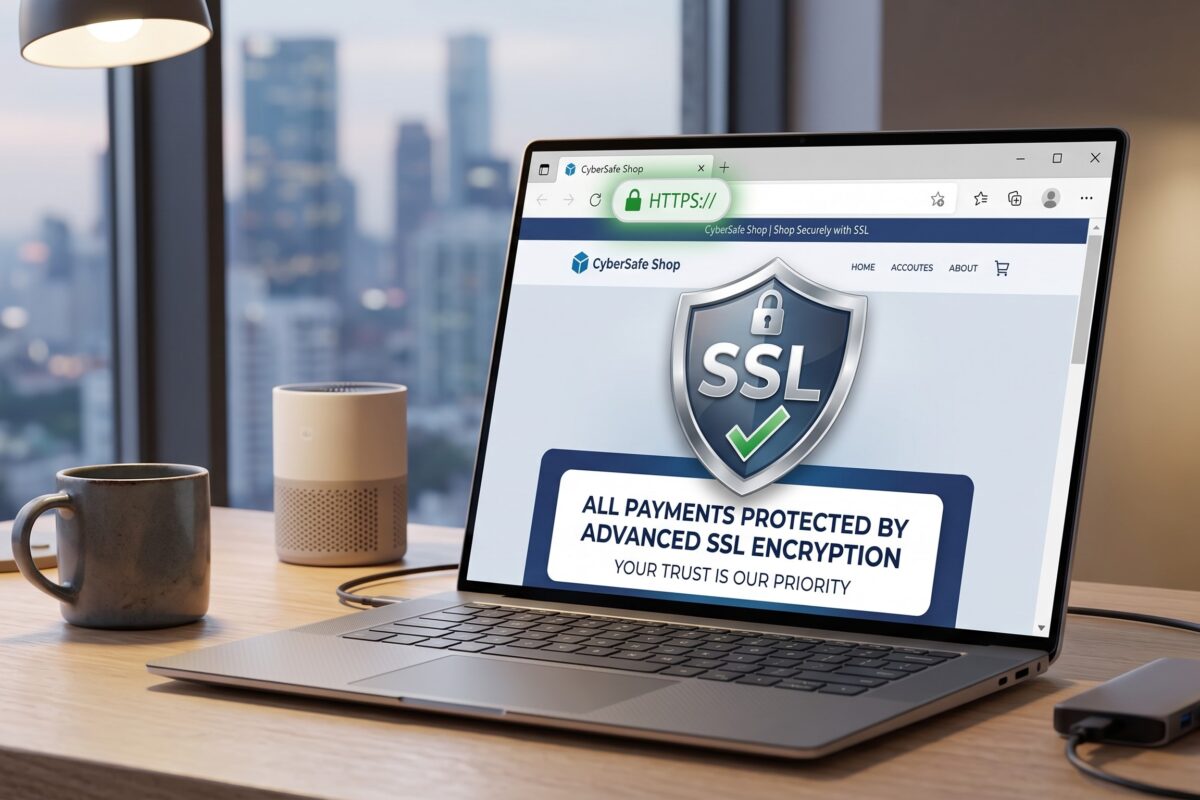
Website-SSL-scaled

How to Secure Your Website With SSL and HTTPS

This guide explains how to secure your Nigerian website with SSL and HTTPS. Abuja Data School is Nigeria’s top live technology training centre. SSL and HTTPS are not optional extras for a professional Nigerian website in 2026; they are baseline requirements. A website without HTTPS shows a “Not Secure” warning in Chrome, loses Google search ranking, and pushes away Nigerian visitors the moment they see it. In short, SSL is the fastest, cheapest upgrade any Nigerian website owner can make today.
So, this guide covers what SSL and HTTPS are, why every Nigerian website needs them, the different types of SSL certificates, how to get a free SSL certificate, and the step-by-step setup process for WordPress and custom HTML sites. It also covers how to fix the most common SSL errors on Nigerian websites. By the end of this guide, your Nigerian website will be secure and show the HTTPS padlock your visitors and Google expect.

What Is SSL? A Plain-English Explanation

SSL stands for Secure Sockets Layer. Also, it is the technology that creates an encrypted connection between your visitor’s browser and your website’s server. When SSL activates, data that travels between the browser and server, such as a name, email, password, or payment card number, gets scrambled so that no third party can read it in transit.
Furthermore, TLS (Transport Layer Security) is the modern, updated version of SSL. Also, most people still call it SSL even though TLS now does the work. In short, SSL/TLS is the encryption system that makes HTTPS possible and keeps Nigerian visitor data safe.
HTTPS-scaled

What Is HTTPS and How Is It Different From HTTP?

HTTP (Hypertext Transfer Protocol) is the standard system for transferring data between a browser and a server. Also, HTTP sends data in plain text, which means anyone on the same network can intercept and read it. HTTPS (HTTP Secure) adds an SSL/TLS layer that encrypts all data in transit.
Here is what changes visually when HTTPS is active on a Nigerian website:
  • Padlock icon: A padlock appears in the browser address bar, signalling that the connection is secure.
  • https:// prefix: Your domain changes from http://yoursite.com to https://yoursite.com.
  • No “Not Secure” warning: Chrome, Firefox, and all major browsers stop showing the “Not Secure” label that drives Nigerian visitors away.
In short, HTTPS is what Nigerian visitors and Google both look for before trusting a website. Furthermore, it is required for any Nigerian website that collects data, processes payments, or runs a login system.

Why Every Nigerian Website Needs HTTPS in 2026

  • Google ranking: Google treats HTTPS as a confirmed ranking signal. Also, two Nigerian websites that are otherwise identical in quality will differ in Google ranking if one has HTTPS and the other does not. HTTP sites rank lower in Nigerian Google search results.
  • Browser warnings: Chrome, which most Nigerian internet users run on Android phones, labels all HTTP sites as “Not Secure”. Furthermore, this warning appears before a visitor reads a single word on your page. In short, the warning alone loses a significant percentage of Nigerian visitors before they engage.
  • Nigerian visitor trust: Nigerian online shoppers, NGO donors, and professional clients check for the padlock before submitting any form or payment. Also, without HTTPS, Nigerian visitors hesitate to share contact details or card numbers. In short, HTTPS is your first trust signal.
  • Data protection: Contact form submissions, login credentials, and payment details need encryption. Also, any Nigerian website that collects data without HTTPS exposes its users to interception. Furthermore, this creates both ethical and legal exposure for Nigerian website owners.
  • PWA and modern web features: Progressive Web App features, service workers, and many modern browser APIs only work on HTTPS sites. Also, some Nigerian hosting features like push notifications require HTTPS. In short, HTTPS unlocks the full capability of the modern web.

Types of SSL Certificates: Which Does Your Nigerian Website Need?

Certificate Type
What It Covers
Best For Nigerian Use
Domain Validation (DV) One domain. Basic identity check. Blogs, portfolios, small biz sites
Wildcard SSL One domain + all subdomains Sites with subdomains (shop.domain.com)
Organisation Validation (OV) Domain and company identity verified Medium Nigerian businesses and NGOs
Extended Validation (EV) Full legal company verification Banks, fintechs, large e-commerce
Multi-Domain (SAN) Multiple different domains in one cert Agencies managing several client sites
In short, a free Let’s Encrypt DV certificate covers the SSL needs of over 95 per cent of Nigerian websites. Also, most reputable Nigerian hosting providers now include Let’s Encrypt SSL at no cost with every hosting plan. Furthermore, EV and OV certificates are only worth the extra cost for Nigerian financial institutions, large e-commerce platforms, and organisations that must show verified identity in the browser bar.

How to Get a Free SSL Certificate for Your Nigerian Website

Method 1: SSL via Your Hosting Control Panel (Easiest)

Most Nigerian hosting providers, including Namecheap, SiteGround, Whogohost, and Web4Africa, now offer free Let’s Encrypt SSL directly from cPanel. Here is the process:
  • Log in to your cPanel account.
  • Scroll to the “Security” section and click “SSL/TLS Status” or “Let’s Encrypt SSL”.
  • Select your domain from the list and click “Install”.
  • Wait 2 to 5 minutes for the certificate to issue and install.
  • Your site now shows https:// in the browser address bar.
In short, Let’s Encrypt SSL via cPanel is free, takes under 5 minutes, and works on any Nigerian shared hosting plan.

Method 2: SSL via Cloudflare (Best Free Option for All Sites)

Cloudflare offers free SSL as part of its free CDN plan. Also, this is the best option for Nigerian websites that want both SSL and CDN performance in one step. Here is how:
  • Create a free Cloudflare account at cloudflare.com.
  • Add your Nigerian website domain to Cloudflare.
  • Update your domain’s nameservers to the ones Cloudflare provides (do this at your domain registrar).
  • Cloudflare activates SSL automatically within minutes. Also, choose “Full” SSL mode in Cloudflare’s SSL/TLS settings.
Furthermore, Cloudflare’s free SSL also protects against DDoS attacks and speeds up your Nigerian site via CDN. In short, Cloudflare SSL is the most powerful free security upgrade any Nigerian website owner can activate today.

Method 3: WordPress SSL Setup

For Nigerian WordPress sites, activate SSL in three steps: first, install the free SSL certificate through cPanel (Method 1 above); second, install the free Really Simple SSL plugin from the WordPress plugin directory; third, activate the plugin, and it automatically redirects all HTTP traffic to HTTPS. Also, the plugin fixes mixed content warnings caused by internal links still pointing to http://. In short, the Really Simple SSL plugin makes SSL setup effortless on any Nigerian WordPress site.

How to Force HTTPS and Fix Mixed Content Warnings

After installing SSL, Nigerian website owners often encounter “mixed content” warnings where some page elements (images, scripts, or stylesheets) still load over HTTP instead of HTTPS. Also, mixed content warnings prevent the padlock from showing correctly. Here is how to fix them:
  • For WordPress: The Really Simple SSL plugin handles most mixed content automatically. For remaining issues, use the Better Search Replace plugin to update all http:// references in your database to https://.
  • For custom HTML sites: Search every HTML and CSS file for http:// and replace with https://. Furthermore, check any embedded iframes, CDN links, and third-party script tags.
  • Force HTTPS via htaccess: Add these lines to your htaccess file to redirect all HTTP requests to HTTPS automatically: RewriteEngine On / RewriteCond %{HTTPS} off / RewriteRule (.*) https://%{HTTP_HOST}%{REQUEST_URI} [R=301, L]
In short, a correctly set up Nigerian website shows a solid padlock with no mixed content warnings. Also, Chrome DevTools (F12 → Console) shows any remaining mixed content errors to fix.

Common SSL Errors on Nigerian Websites and How to Fix Them

SSL Error
Likely Cause
Fix
ERR_SSL_PROTOCOL_ERROR SSL not installed or certificate expired Install or renew SSL via cPanel or Cloudflare.
NET::ERR_CERT_AUTHORITY_INVALID Self-signed or untrusted certificate Replace with Let’s Encrypt or Cloudflare SSL.
Mixed content warning (padlock broken) Some page elements still load over HTTP Use the Really Simple SSL plugin or update all http:// to https://.
The SSL certificate expired. Let’s Encrypt certificate not auto-renewed Enable auto-renew in cPanel or Cloudflare.
Too many redirects Conflicting redirect rules in .htaccess Clear redirect rules and re-add the standard HTTPS redirect.
ERR_CERT_COMMON_NAME_INVALID Certificate issued for a different domain Reissue the certificate for the correct Nigerian domain.

Free Resource: Let’s Encrypt Documentation

In addition to Abuja Data School’s live training, Abuja Data School recommends the Let’s Encrypt Documentation as the best free technical resource for Nigerian website owners who want to understand SSL certificates in depth. Let’s Encrypt is the non-profit certificate authority that powers most free Nigerian website SSL certificates. Also, their documentation covers how certificates work, auto-renewal, troubleshooting, and manual installation for developers who manage their own Nigerian servers. Moreover, all Let’s Encrypt documentation is free to read with no account required. As a result, any Nigerian who reads the Let’s Encrypt docs alongside Abuja Data School’s live training will understand SSL from the padlock icon all the way down to the certificate authority chain.
Use the Let’s Encrypt docs for technical SSL questions. Abuja Data School provides live instruction on web security, hosting setup, and building secure, professional Nigerian websites from scratch.

How Abuja Data School Teaches Website Security

Abuja Data School’s web development curriculum includes a dedicated session on website security, covering SSL installation, HTTPS setup, mixed content fixes, Cloudflare configuration, and WordPress security hardening. Also, students apply every security step to their own live Nigerian websites during the course. Furthermore, the curriculum covers the security practices that Nigerian employers and clients look for when evaluating a web developer’s work. In short, every Abuja Data School web development graduate leaves the course knowing how to build a secure, HTTPS-ready Nigerian website from the first line of code.

Frequently Asked Questions: SSL and HTTPS

Q1: Is the Free Let’s Encrypt SSL as Good as a Paid Certificate?

Yes, for most Nigerian websites. Also, Let’s Encrypt provides full 256-bit encryption, the same as paid DV certificates. Furthermore, the only reasons to pay are for Organisation Validation (OV), Extended Validation (EV), or Wildcard SSL, which Let’s Encrypt also offers for free in some configurations. In short, a free Let’s Encrypt certificate is the right choice for the vast majority of Nigerian websites.

Q2: My SSL Certificate Expired. What Do I Do?

Let’s Encrypt certificates expire every 90 days. Also, most Nigerian hosting control panels auto-renew them before expiry. If renewal fails, log in to cPanel and reinstall the certificate manually. Furthermore, enabling Cloudflare’s universal SSL removes the expiry risk entirely; Cloudflare handles renewal automatically. In short, always enable auto-renewal and check your certificate expiry date every quarter.

Q3: Does HTTPS Slow Down My Nigerian Website?

Modern HTTPS with HTTP/2 is actually faster than HTTP for most Nigerian sites. Also, the SSL handshake adds milliseconds on the first connection, but subsequent page loads are often faster because HTTP/2 allows multiple parallel requests over a single connection. Furthermore, Cloudflare’s free SSL includes HTTP/2 automatically. In short, HTTPS does not make your Nigerian website slower; it often makes it faster.

Secure Your Nigerian Website With SSL Today

Ultimately, SSL and HTTPS are the minimum security standard for any professional Nigerian website in 2026. They are free, they are fast to set up, and they protect both your Nigerian visitors and your Google ranking simultaneously. Every Nigerian website owner who has not yet activated HTTPS is leaving trust, traffic, and revenue on the table.
To that end, take your next step today. Visit the Abuja Data School Data Analysis page and enrol in the web development course. As a result, every Nigerian website you build will be secure, trusted, and HTTPS-ready from its very first day online.
Hi, How Can We Help You?